Blueprint Reading for Carpenters: Mastering Digital Layouts and BIM

ChiselJobs Team
Published on 5/28/2026
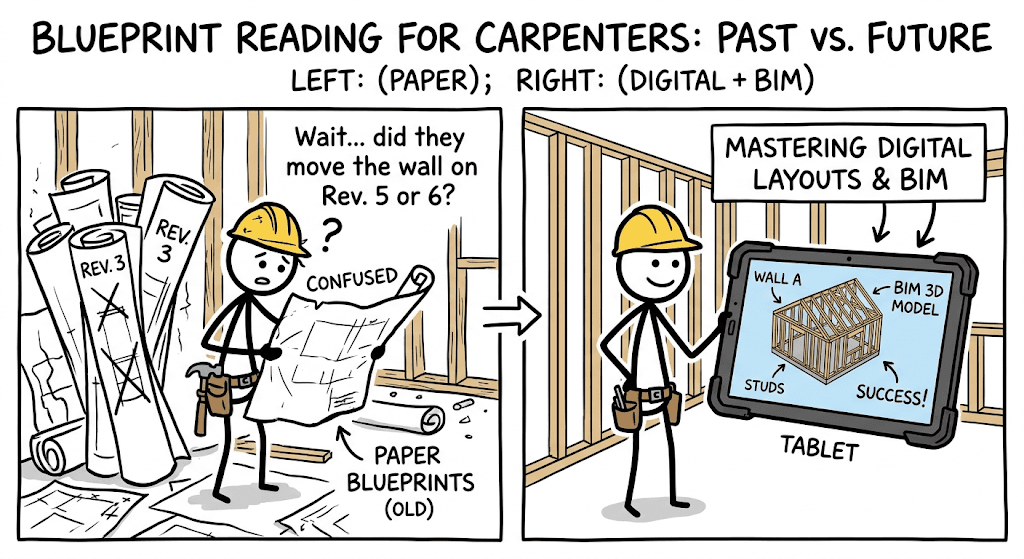
A good carpenter measures twice and cuts once. But before you even grab your tape measure or fire up your circular saw, you need to know exactly what you are building. Blueprint reading has always been a core skill for any successful tradesperson. Today, the game is changing rapidly. The dusty, torn roll of paper plans is being replaced by rugged tablets and highly detailed 3D models.
Mastering digital layouts and Building Information Modeling (BIM) is what separates a standard carpenter from a lead framer or site foreman. Here on ChiselJobs, we know that upgrading your technical skills directly upgrades your paycheck. Let us break down how you can dominate digital blueprints and keep your crew working efficiently.
The Shift From Paper to Pixels
Imagine standing in the mud holding a tablet instead of fighting the wind with a massive sheet of paper. The main advantage of digital blueprints is version control. Paper plans get outdated the minute an architect issues a revision. If you are building off an old set of plans, you are going to make expensive mistakes.
With digital blueprints, the whole crew looks at the exact same, constantly updated file. This prevents you from framing a load-bearing wall that was supposed to be moved two feet to the left last Tuesday. Organizations like the Associated General Contractors of Americanote that digital plan adoption significantly reduces costly rework on the jobsite, keeping projects on time and under budget.
Understanding the Core Views on a Screen
The screen might be digital, but the basic language of blueprints remains exactly the same. You still need to master the standard architectural views.
Plan Views: Looking straight down from above. This is where you grab your overall dimensions for snapping chalk lines, setting bottom plates, and laying out walls.
Elevations: Looking straight at the wall from the side. You will find your window header heights, siding details, and exterior finishes here.
Section Cuts: Slicing the building in half. This view shows how the foundation, floor joists, wall framing, and roof trusses all tie together.
The American Institute of Architectsstandardizes the symbols used across these drawings. Recognizing load-bearing indicators, structural callouts, and hardware schedules is critical before you start nailing boards together.
What is BIM and Why Should Carpenters Care?
What exactly is BIM? It stands for Building Information Modeling. Instead of flat lines on a 2D screen, BIM creates a complete, interactive 3D model of the entire building. Every piece of lumber, every plumbing pipe, and every electrical conduit is mapped out in the software.
For a carpenter, this is incredibly powerful. You can spin the model around on your screen, zoom into a complex roof valley, and see exactly how the framing members intersect before you ever make a cut. The National Institute of Building Scienceshighlights BIM as a key driver for construction efficiency.
One of the biggest benefits for carpenters is "clash detection." In the old days, you might frame a mechanical chase only to find out the HVAC crew needs double the space for their ductwork. With BIM, the software flags that collision before you even swing a hammer. This means less tearing out good work and less arguing with other trades on the site.
Digital Layout Tools for Precision Framing
Translating a digital plan into a physical wall requires the right tools. We are moving beyond just pulling tape and using a standard plumb bob. Total stations are becoming standard on large commercial sites and custom residential builds.
A robotic total station talks directly to the digital blueprint. It shoots a precise laser to point out exact locations for anchor bolts, foundation corners, and interior layout lines. This means fewer mistakes when setting up your initial layout. The National Institute of Standards and Technologystudies how these digital layout tools improve structural accuracy and overall building quality. Even if you are just doing finish carpentry, having a laser level paired with a digital plan ensures your cabinet runs and crown molding elevations are dead perfect.
Reading Plans for Building Codes and Jobsite Safety
Blueprints do more than tell you where the wood goes. They keep the building safe, legal, and structurally sound. Structural notes on your digital plans will dictate the exact nailing schedule for shear walls, the type of joinery required, and the specific hardware needed for joist hangers. You have to follow these details to pass your rough-in inspection.
The International Code Councilsets the baseline for these building codes across most regions. Digital plans make it easy to tap on a code reference and immediately pull up the exact requirement.
Safety is another major factor. Knowing where overhead power lines are located or where temporary bracing is required keeps you and your crew alive. The Occupational Safety and Health Administrationemphasizes that pre-planning using site models significantly reduces jobsite accidents.
Furthermore, the National Institute for Occupational Safety and Healthprovides resources on how proper job planning prevents injuries by optimizing material staging. If the BIM model shows exactly where the heavy engineered beams need to go, you can have the forklift or crane drop them right at that location. This saves your back and speeds up the framing process.
Navigating Finish Work and Accessibility Standards
Rough framing gets the bones of the building up, but finish carpentry requires a different level of blueprint reading. Digital plans often include highly detailed millwork sections. You need to read the precise clearances for doors, built-in cabinets, and trim details.
For commercial jobs and public spaces, you must also pay close attention to accessibility standards. Being off by a fraction of an inch can mean tearing out a custom reception desk. Following the Americans with Disabilities Act guidelinesis mandatory. Digital plans often have these critical handicap-accessible dimensions highlighted in red so you do not miss them during the final trim-out.
Jobsite Realities: Keeping Your Tech Alive
Having the best digital plans means nothing if your tablet dies before lunch break. A jobsite is a hostile environment for electronics. Sawdust, rain, and drops off scaffolding will destroy standard gear.
Protect the Hardware: You need a heavy-duty, waterproof case.
Beat the Glare: Reading a digital layout sheet in direct sunlight can be frustrating. Look for matte, anti-glare screen protectors.
Manage Power: Cold weather will drain a battery fast. Keeping a portable power bank in your tool belt right next to your chisels and utility knife is a smart move.
Steps to Upgrade Your Digital Blueprint Skills
If you are used to paper and feel overwhelmed by tablets, do not panic. The Bureau of Labor Statisticsprojects steady demand for carpenters, but those with digital skills will easily command higher wages and land leadership positions.
You can start small by downloading a sample PDF building plan on a tablet and practicing zooming, measuring, and finding details. From there, look into formal training. Many union training centers and local community colleges now offer courses specifically in digital blueprint reading and construction technology. The U.S. Department of Labor Apprenticeship programis an excellent resource for finding registered programs that teach these modern techniques alongside traditional carpentry skills.
The trades are evolving. By mastering digital layouts and BIM, you ensure that your skills remain in high demand for the rest of your career. Keep your tools sharp, and keep your technology updated.